Blog / 6 Useful Tools to Get More from Your Images
6 Useful Tools to Get More from Your Images
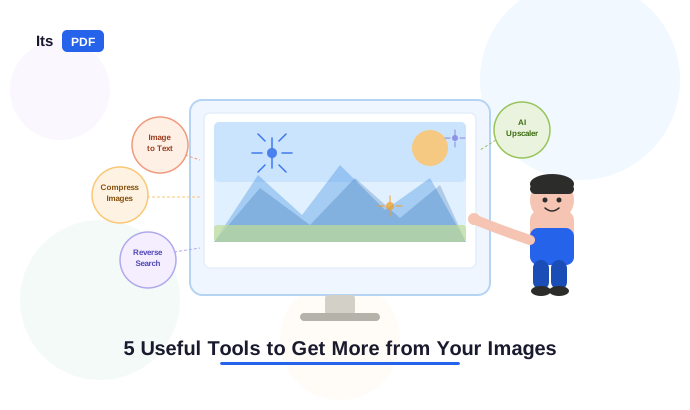
As we all know, the present era is like a digital world. The images are essential to almost everything we do digitally. Whether it is for marketing, blogging, education, design, photography, business or something else. Images are not just there to beautify content. They can offer additional information and boost engagement, or also help to convey ideas. People stop at just doing the first step most of the time. Maybe you need to delete a background, fit a size, enhance quality, or extract text. You may also need to reverse search the image. There are various tools you can use to do this.
In this blog, we discussed 5 useful tools to get more from your images, which cover everything from text extraction and reverse image search to compression or conversion, as well as full-scale editing. No matter if you are a photographer, content creator, designer, or a casual image user, you will find at least one new tool from this list that helps you improve your image workflow.
1. ItsPDF: Image to Text Converter
The most common task for people is to struggle with extracting text from images. Whether it is a scanned document, screenshot, or photo of a printed page, manually retyping that content is difficult. This is where the image to text converter by itspdf.com is a handy tool; it uses advanced OCR (Optical Character Recognition) technology to extract text from image files and convert it into editable and searchable content.
This tool is very useful for students and researchers or office workers who regularly work with screenshots and scanned documents or receipts as well as handwritten notes. Now, instead of having to type out what you see, you can just upload your image and extract and copy text from image files and documents easily. What makes this even better is the fact that this image to text conversion tool has multilingual support, so people from any part of the world can use this tool without any difficulty.
Features:
- Supports multiple image formats like JPG, PNG, BMP, and TIFF.
- Multilingual OCR recognition.
- No registration or installation required.
- Part of a full-featured PDF suite.
- Free to use.
2.AI Image Upscaler:
Blurry or pixelated images can be really annoying and are even more problematic when you want to use them in important platforms like website design, print marketing collateral, presentations, or large format displays. An AI Image Upscaler is a great tool in this scenario, since it uses artificial intelligence technology to enhance the image quality. This makes it a useful tool for anyone who wants to enhance image quality and use their photos in larger formats with better results.
Unlike traditional image resizing methods that often make images look blurry. The image-upscaler.ai uses advanced AI technology to add new details and improve image quality during enlargement. This allows small or low-quality images to be increased to higher resolutions while keeping them sharp and clear.
Features:
- AI-generated pixel enhancement for sharper results.
- Free of cost.
- Upscale to 2x, 4x, or higher resolution.
- No software installation required.
- Highly secured.
3. Lenso.ai: Reverse Image Search
Are you looking for the original source of an image? Are you suspecting someone is using your photo? So now don't need to worry. Lenso.ai is a smart reverse image search tool that allows users to find where images appear online and find visually similar content. The user just has to upload an image. This platform takes care of the rest. No need to use some less effective and complex keywords. Users can easily upload an image and let AI analyze it, instead of searching with keywords.
Searching through images with Lenso.AI is a blend of art and algorithms. You can even drag and drop your picture, and the tool will analyze that image and provide you with similar results from the millions of images on the web. Originally, this platform will return hundreds of images, and you filter by categories like Places or People. This tool has even advanced facial recognition and can see through individuals in pictures.
Features:
- AI-powered reverse image search with category filtering.
- Advanced facial recognition technology.
- Copyright alerts and email notifications.
- Chrome browser extension available.
- API available for developers.
4. TinyPNG.com: Image Compression
Image optimization is an important part of website performance. The reason is that sometimes large image files can slow down websites and affect user experience. TinyPNG helps to solve this problem by reducing image file sizes while keeping the images looking clear and high quality. This platform also supports modern image formats such as WebP and AVIF, which are smaller and load faster than traditional JPEG and PNG files. This helps websites to load more quickly and improve website performance or provide a better experience for users.
TinyPNG makes it easy to quickly compress images. Users can upload up to 20 images per batch at a time on the completely free subscription tier. For those who require even more capability or who want to integrate their tool with their software or product with an SDK, this platform also provides an API. For developers who use WordPress, there is also a WordPress plugin that will automatically compress images upon upload.
Features:
- User-friendly interface.
- API with SDKs for multiple programming languages.
- Up to 80% file size reduction without quality loss.
- Secure and private.
- Improves website loading speed.
5. Canva.com: Graphic Design and Image Editing
Canva is one of the most popular online graphic designing tool. This platform makes creating and editing visuals simple for everyone. Even without professional design experience. It allows users to create graphics and edit photos or add text as well as resize and crop images. We can also apply filters and adjust brightness or contrast through its handu interface. Canva also includes powerful AI features such as background removal and magic resize for adapting designs to different platforms as well as AI image creation. This tool makes a convenient solution for creating high-quality marketing materials and social media posts or other visual content.
Features:
- Thousands of customizable templates.
- Easy-to-use image editing tools.
- Available on web, iOS, and Android.
- Brand Kit for consistent visual identity.
- AI-powered background remover and image tools.
- Suitable for beginners and professionals.
What do we conclude?
Images can do much more than simply display visual content when you use the right tools. From extracting text and finding similar images to enhancing quality, removing backgrounds, and compressing files, these tools help you get more value from every image.
Online platforms like itspdf, Lenso.ai, and AI Image Upscaler can improve productivity and simplify creative workflows or also support both personal and profesional projects. Whether you are a blogger, photographer, marketer, online seller, or everyday user, these online tools make it easier to create and manage or optimize images without needing expensive software or advanced technical skills.
Eyematch.ai: Facial Recognition Search
Sometimes you want to know whether someone is using your photo without your permission and you simply want to check where your face has appeared on the internet. Eyematch.ai is a handy tool that is designed exactly for this purpose.
Eyematch.ai works by converting the uploaded photo into a unique facial data pattern using AI facial recognition. It scans millions of publicly available images across the web to find exact or visually similar matches. This makes it useful for individuals who want to protect their privacy or photographers want to checking for copyright misuse or anyone verifying if a profile picture is genuine before trusting an online account.
Features:
- Facial recognition search across millions of online images.
- Detects faces even with different angles and lighting or expressions.
- Privacy-focused; photos are never stored or shared.
- Useful for copyright protection and identity checks or fraud prevention.
- No installation required. It works directly in the browser.
What do we conclude?
Images can do much more than simply display visual content when you use the right tools. From extracting text and finding similar images to enhancing quality, removing backgrounds, and compressing files, these tools help you get more value from every image.
Online platforms like itspdf, Lenso.ai, and AI Image Upscaler can improve productivity and simplify creative workflows or also support both personal and professional projects. Whether you are a blogger, photographer, marketer, online seller, or everyday user, these online tools make it easier to create and manage or optimize images without needing expensive software or advanced technical skills.
 JPG to PDF
 PNG to PDF
 BMP to PDF
 TIFF to PDF
 WORD to PDF
 XLS to PDF
 HEIC to PDF
 VCF to PDF
 PPT to PDF
 PDF to JPG
 PDF to PNG
 PDF to BMP
 PDF to TIFF
 PDF to WORD
 PDF to CSV
 PDF to PPT
 PDF to Text
 PDF to Excel
 Image to Text
 HEIC to JPG
 HEIC to PNG
 MERGE PDF
 SPLIT PDF
 COMPRESS PDF
 Done
Done

 Re-Convert